Roblox AutoUIScale
A downloadable asset pack
AutoUIScale
AutoUIScale is a lightweight Roblox UI utility that makes interfaces using AutomaticSize more responsive across different screen sizes.
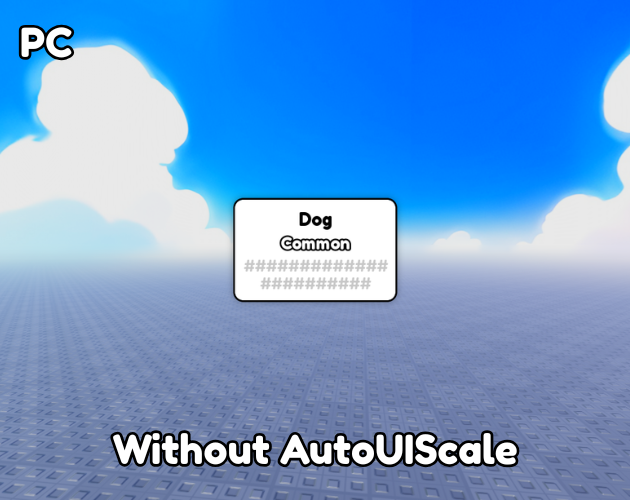
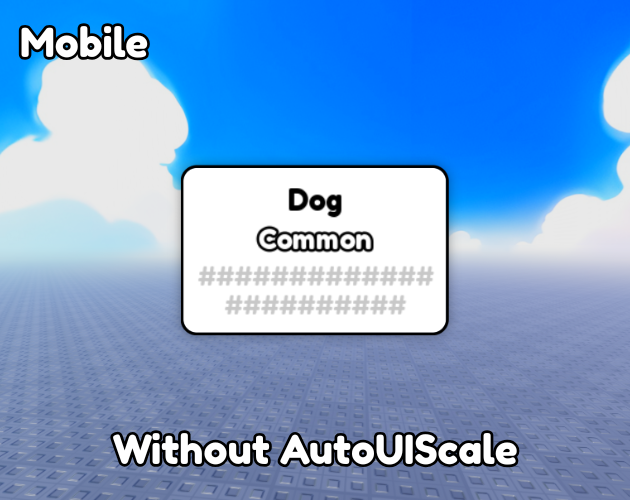
Roblox's AutomaticSize works especially well with Offset-based sizing, but Offset values alone do not automatically scale proportionally between different resolutions.
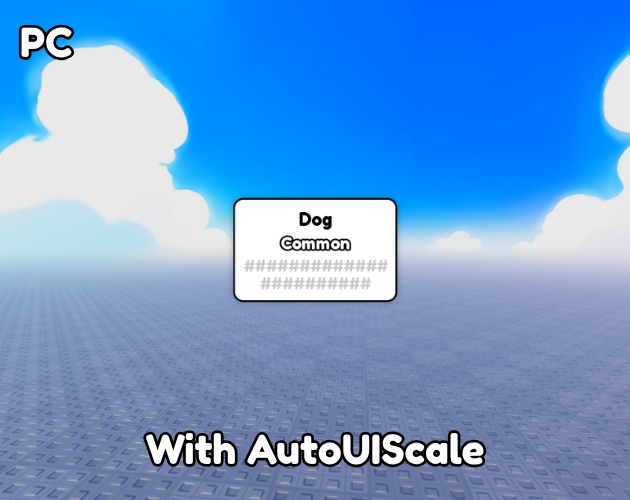
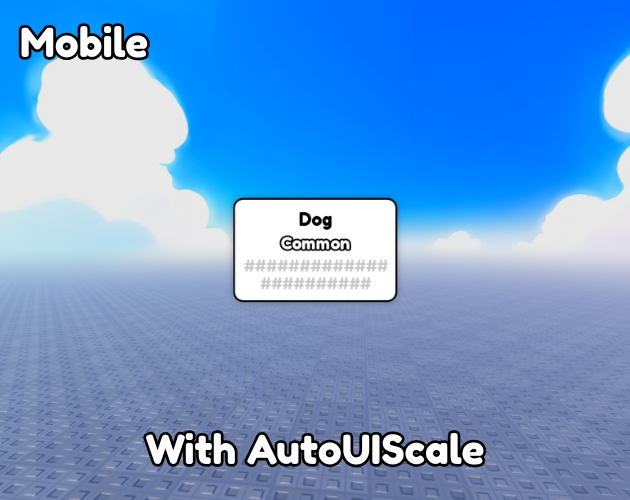
AutoUIScale solves this by automatically adjusting a UIScale based on the player's viewport size.
Features
- Designed to work with Roblox's
AutomaticSize - Responsive scaling across different screen resolutions
- Works with Offset-based UI
- Uses a customizable reference resolution
- Supports multiple
UIScaleobjects - Uses
CollectionService - Automatically updates when the viewport changes
- Lightweight and easy to set up
- Fully open source
- MIT License
Great For
AutoUIScale is especially useful for UI elements that rely on AutomaticSize, such as:
- Tooltips
- Notifications
- Dialog boxes
- Text containers
- Dynamic buttons
- Popups
- Information panels
- Other content that changes size based on its text or contents
How It Works
AutomaticSize is useful when you want a UI element to automatically grow or shrink based on its content.
However, when your UI relies on Offset, the actual pixel dimensions remain fixed. This can cause the interface to appear too large or too small on different screen resolutions.
AutoUIScale adds a responsive UIScale on top of your existing UI:
AutomaticSize + Offset → UIScale → Responsive UI
The system uses a reference resolution and calculates the appropriate UIScale based on the player's current viewport.
Setup
- Place the LocalScript in
StarterPlayerScripts. - Add a
UIScaleto the UI you want to scale. - Tag the
UIScalewith "UIScale". - Set
REFERENCE_WIDTHandREFERENCE_HEIGHTin the script to match the resolution used to design your UI.
To find your current viewport resolution, run this in the Roblox Studio Command Bar:
print(workspace.CurrentCamera.ViewportSize)
Use the returned X and Y values as your reference resolution.
Roblox Creator Store
You can also get AutoUIScale directly from the Roblox Creator Store:
AutoUIScale on Roblox Creator Store
License
MIT License. See the included LICENSE.txt file for the complete license terms.
Feedback, suggestions, and contributions are always welcome.
Download
Click download now to get access to the following files:
Leave a comment
Log in with itch.io to leave a comment.